
# Play Module
# Creating a play module
- Open
Mould.ksmilefile and add the play module definition as follows
section learning {
	data-module LearningData at com.metastay.learningdata
	mongo-module LearningMongo(LearningData) at com.metastay.leaningmongo
	domain-module LearningDomain(LearningMongo) at com.metastay.learningdomain
	play-module LearningWeb(LearningDomain) at learningweb
}
Run smile command in sbt
Refresh the project in eclipse. You will see the
LearningWeb.kplayfile generated with the following default route:
route "learningweb"
# Web-Writers aka Command-action
- Lets expose the commands defined above as web apis
- Open
LearningWeb.kplayfile in eclipse - Define a web writer for company
- Define registerCompany as a POST api
web-writer Company {
	command-action registerCompany (POST) LearningDomain::Company.registerCompany
}
- Compile in sbt
- No more code to be written (yay!)
# Define read apis in WebReader
- Lets define an api to find a company given its name
- Open
LeaningWeb.kplayfile in eclipse - Define a web reader for company apis
- Define the GET api getCompany with name as input
web-reader Company {
	view getCompany (GET) {
		input (name:String)
	}
}
- Compile in sbt
- You will find
CompanyWebReaderCodeclass created with the api getCompany defined and ready to implement - Implement getCompany
object CompanyWebReaderCode extends CompanyWebReaderTrait {
	override def getCompany: Request[GetCompanyView.Pre] => GetCompanyView.Output = GetCompanyView {
		import GetCompanyView._
		request: Request[Input] =>
			val input = request.body
			val company = CompanyQuery().name.equalsIgnoreCase(input.name).findOne.get
			Output(companyId = company._id, companyName = company.name, address = company.address)
	}
}
Add swagger to the project
- Open sbt console
- Run command add-swagger
[Mould] $ add-swagger [info] swagger added!- Open
LearningWeb.kplayfile in eclipse - Add the swagger definition, you can control the api access in swagger by exposing only the ones you wish to. For now let's keep all apis accessible by defining a swagger namespace as follows:
swagger CompanyStart server
- Open sbt console
- Run the run command
[Mould] $ run
--- (Running the application, auto-reloading is enabled) ---
[info] p.c.s.NettyServer - Listening for HTTP on /0:0:0:0:0:0:0:0:9000
(Server started, use Ctrl+D to stop and go back to the console...)
Open browser and access http://localhost:9000

Access swagger at http://localhost:9000/swagger
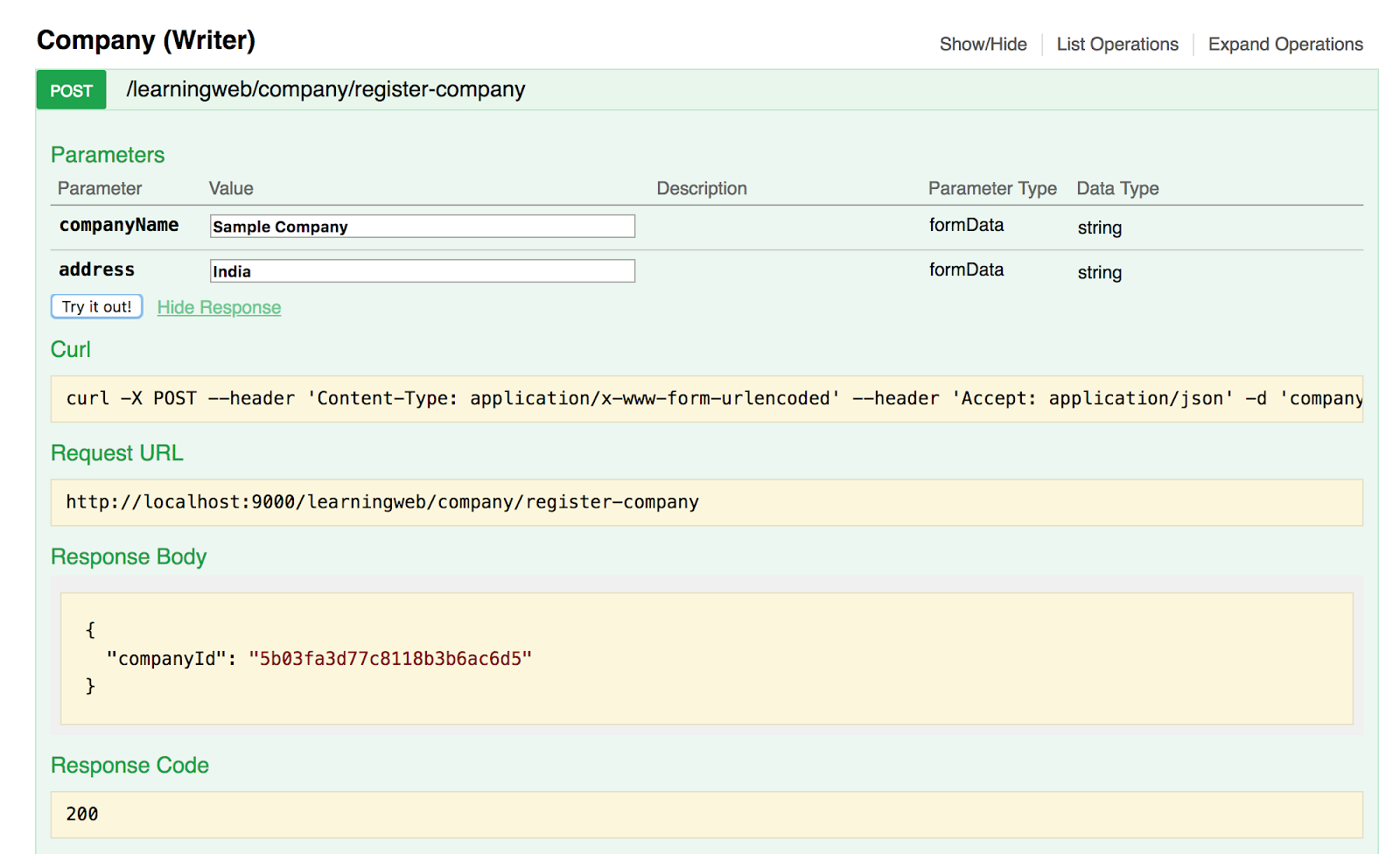
Register a company by name "Sample Company": http://localhost:9000/swagger#!/Company3240Writer41/registerCompany
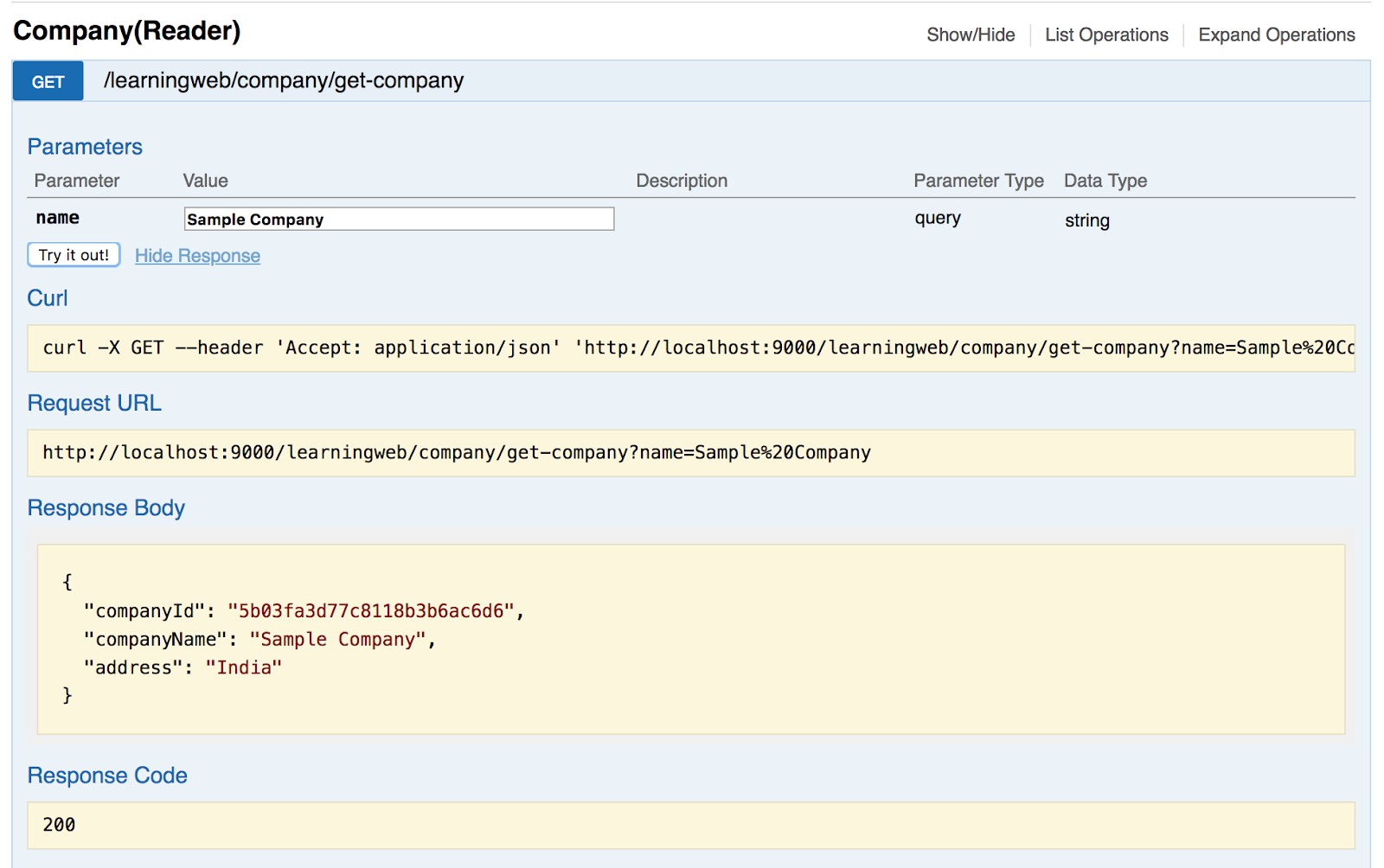
Get the company details: http://localhost:9000/swagger#!/Company40Reader41/getCompany
Stop server
- Hit Ctrl+D inside sbt console to stop server
Exercise:
- Enhance the getCompany api to not throw a RunTimeException when we try to look up a company which is not in the db.
- Define an api to update the company address.
- Define an api to list all the companies in db.