
# Data Module
# What is a data module?
Data module holds composites of the project.
Different types of data that can be defined in this module:
- Data
- Enum
- ADT
- type-alias
- data-tag
What are the primitives data-types in Smile.
- String
- Boolean
- Int
- Double - https://sites.google.com/site/yosoreading/java-scala/implicit5
- Long
- BigDecimal - https://blogs.oracle.com/corejavatechtips/the-need-for-bigdecimal
- BigInt - https://www.geeksforgeeks.org/biginteger-class-in-java/
- CalendarDate - Used when only Data is required
- DateTime - Used when Data and Time both are required
- JustTime - Used when only Time is required hh:mm:ss
- Id - Unique Identification is required
When do we use data in a real project?
While moving between various access layers ex: when you want to read data from several dbs and display as a single unit of data on web.
# Creating a data module
- Open Mould project in eclipse
- Create a new data module by adding the following section:
section learning {
	data-module TutorialData at com.metastay.tutorialdata
	data-module LearningData at com.metastay.learningdata
}
- Run smile command in sbt & refresh the project in eclipse.
- Open file
LearningData.kdata& add the following definition of Employee & Company data:
data Employee (
	name:String,
	gender:String,
	yearOfJoining:Int,
	designation:String,
	experienceInMonths:Int
)

data Company object-extend (
	employeeList:Employee*
)
Copy the methods from
tutorialdata.Company.scalatoCompanyObjectExtn.scalaclass.Also copy the test cases & fix the imports to point to
CompanyObjectExtnmethods.Re-run the test cases.
Note
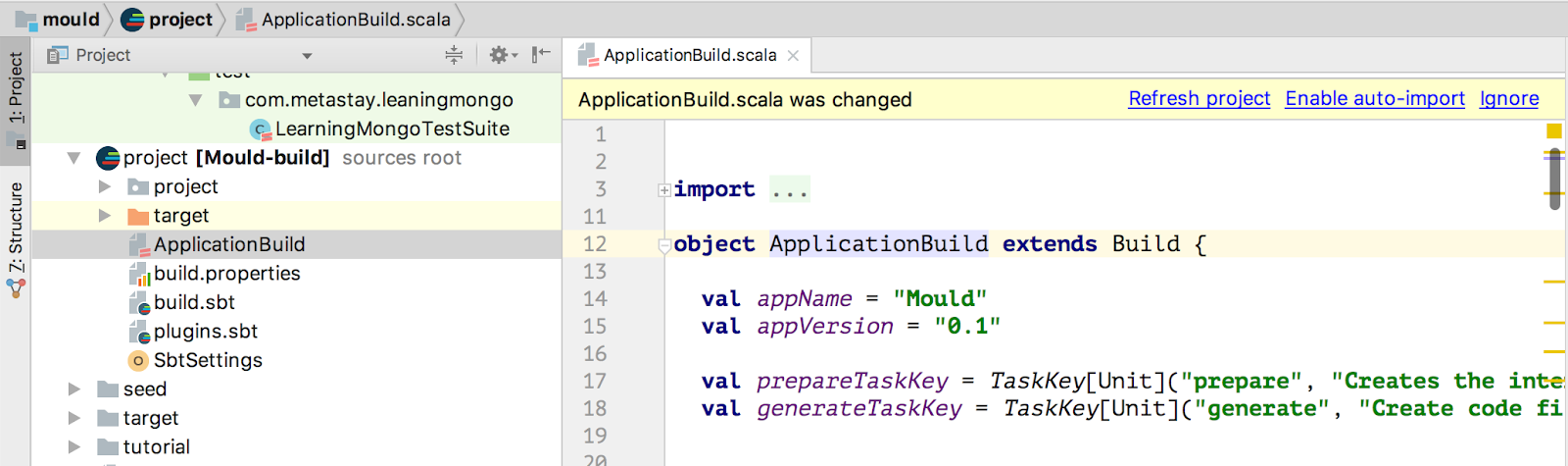
IntelliJ Troubleshooting Note: When a new module added is not being recognised as a source folder in intelliJ - Open ApplicationBuild.scala and if you see a banner above as shown below, click on "Enable auto-import" else make a small change and save the file - this triggers a reload of the project.
# Defining an enum
- Open file
LearningData.kdatain eclipse - Define DesignationType as an enum:
enum DesignationType => SE | SSE | TL | TA | PM | DIR | VP | CEO
- Change Employee's designation type from string to the enum defined above.
- Fix compiler errors & test:compile error (if any)
- Re-run the test cases.
# Defining an option
- Open file
LearningData.kdatain eclipse - Define emailId as an optional field in Employee data
- There should be no compiler errors due to this change
- Re-run the test cases.
# Assignment
# Implement the following methods in Company extension
List all employees who have an emailId. Output must be a map of name & emailId
Add address field in Employee data with the following attributes in address:
- addressLine1
- addressLine2 - optional
- City
- State
- Pincode
List all employees who belong to a specific city.
# Define Employee's dateOfBirth skillList and language as optional value
- implement the following methods
- Get the number of employees per skill
- Get the highest paid employee per skill
- Given a language - list the employee names.
- Get the oldest employee details
- Get the youngest employee details